
IPTV Basics
2026-06-25 by FreeLiveIPTV Editorial
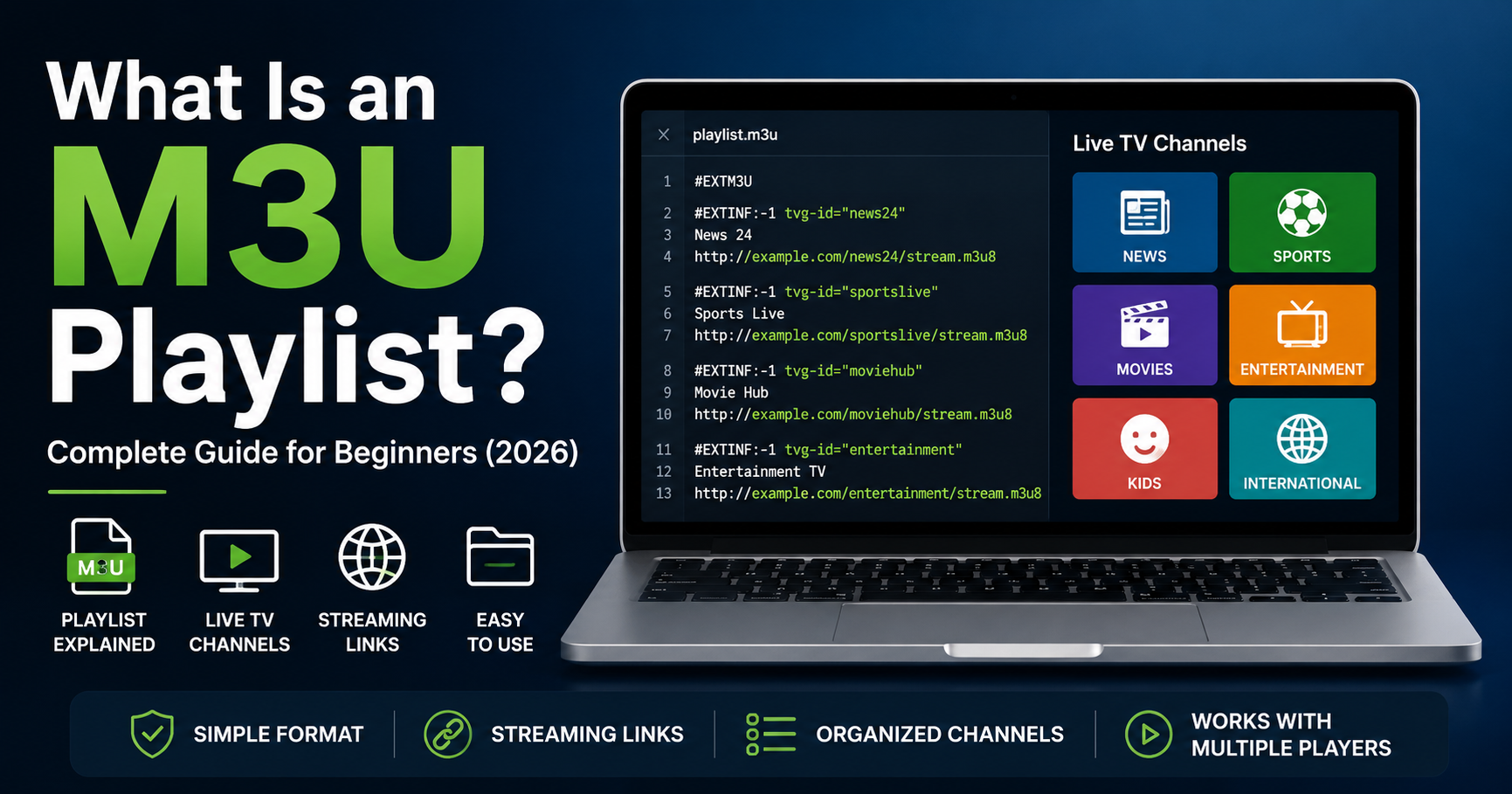
For beginners, the name can sound technical, but the idea is simple. An M3U playlist is a text-based file that tells a media player where to find content. Instead of storing the video itself, the playlist usually stores links, names, and metadata that help a player load channels or media streams.
In this guide, you will learn what an M3U playlist is, how it works, why it is used in IPTV, how it differs from M3U8, and how platforms like FreeLiveIPTV organize live TV discovery for users.
An M3U playlist is a plain text playlist file that contains media locations. These locations can point to audio files, video files, or live streaming URLs.
In IPTV, an M3U playlist is commonly used to organize live TV channels. A playlist may include channel names, stream URLs, categories, languages, and other useful metadata.
An M3U playlist does not usually contain the actual video. It works more like a directory or map that tells a compatible player where to find each stream.
If you are new to IPTV technology, you may also want to read our What Is IPTV and How Does It Work? guide.
An M3U playlist works by listing media entries in a structured text format.
A basic playlist may include:
Channel name
Stream URL
Group/category
Logo URL
Language
Country
Additional metadata
When a compatible media player opens the playlist, it reads each entry and displays the available channels or media items.
For example, a player may show a channel list with categories such as:
News
Sports
Movies
Entertainment
Kids
Music
International TV
Users can then select a channel, and the player attempts to load the stream from the listed URL.
IPTV uses M3U playlists because they are simple, flexible, and widely supported.
Benefits include:
Easy channel organization
Lightweight text-based format
Compatible with many media players
Support for live stream URLs
Ability to include channel metadata
Simple updates when stream sources change
Because IPTV content often includes many channels, playlists help keep everything organized in one place.
Viewers looking for organized channel discovery can browse the Channel Directory on FreeLiveIPTV.
M3U and M3U8 are closely related, but they are not exactly the same.
M3U is the original playlist format. It may use different text encodings depending on how it was created.
M3U8 is a UTF-8 encoded version of M3U. It is commonly used with HLS streaming.
In modern streaming, M3U8 files are very common because many live video streams use HLS, which stands for HTTP Live Streaming.
A simple way to understand it:
M3U: General playlist format
M3U8: UTF-8 playlist format often used for live video streaming
Many live TV and sports streams rely on M3U8 links because they support adaptive streaming and browser-friendly playback.
An IPTV-style M3U playlist may include several types of information.
This is the display name shown inside the player.
Example:
Sports Channel
News Channel
Movie Channel
This is the actual online location of the stream.
The player uses this URL to load the video.
Some playlists include logo links so the player can show a channel image.
Groups help organize channels into sections.
Examples:
Sports
News
Entertainment
Movies
Kids
Some playlists include country and language metadata to help users find relevant channels more easily.
This kind of metadata is important for websites like FreeLiveIPTV because users often want to browse channels by category, country, or language.
No. M3U playlists are not only used for IPTV.
They can also be used for:
Music playlists
Video playlists
Radio streams
Local media files
Online media links
However, the format became especially popular in IPTV because it can organize large numbers of live TV channels in a simple text file.
A good live TV playlist or channel directory should not be just a random list of links.
Useful organization includes:
Clear channel names
Correct categories
Working stream information
Country details
Language details
Related channels
Updated metadata
FreeLiveIPTV focuses on discovery by helping viewers browse live TV channels through organized pages instead of relying only on raw playlist files.
You can explore available channels through our Channel Directory.
Sports are one of the most popular categories in IPTV and live TV streaming.
Sports viewers often look for:
Live football channels
Match schedules
Tournament coverage
Sports news
Highlights after matches
If you are interested in sports coverage, visit our Live Sports section or read our Watch Sports Channels Online article.
Football fans can also check How to Watch Live Football Online for a dedicated football streaming guide.
During major football tournaments, many users search for match schedules, live football pages, and highlight content.
Instead of only looking for channel names, users often need:
Match pages
Kickoff times
Tournament schedule
Live status
Highlights after the match
FreeLiveIPTV organizes football discovery through pages such as FIFA Live, Sports Schedule, and FIFA Highlights.
This makes it easier for users to follow football events without manually searching through long playlists.
Metadata helps both users and systems understand what each stream represents.
Important metadata may include:
Channel title
Category
Country
Language
Logo
Stream type
Related content
Without metadata, a playlist can become difficult to browse.
For example, a user searching for news channels may not want to scroll through hundreds of sports, movie, or entertainment channels.
Good metadata improves:
Search
Filtering
Navigation
User experience
SEO visibility
M3U playlists are useful, but they can also have issues.
A stream URL may stop working if the source changes or goes offline.
Some playlists contain the same channel multiple times.
A channel may appear without a proper logo or image.
A sports channel may be placed under entertainment, or a news channel may be placed under movies.
Playlists need maintenance because public streams can change over time.
This is why organized channel discovery and regular updates are important.
No. An M3U playlist is not the channel itself.
The playlist is only a file or URL that points to streams.
A TV channel is the actual broadcast or content source.
Think of it like this:
The channel is the content.
The stream URL is the location.
The M3U playlist is the list that organizes those locations.
The player is the tool that opens and plays them.
Usually, yes. An M3U playlist needs a compatible media player or IPTV player.
Some players can open local M3U files, while others can open remote playlist URLs.
However, websites like FreeLiveIPTV are designed to make discovery easier by organizing live TV channels, sports pages, and match pages directly in the browser.
For general live TV discovery, you can start with our Best Free Live TV Channels Online article.
The legality of an M3U playlist depends on the content source and broadcasting rights.
An M3U file is just a playlist format. The format itself is not illegal.
However, users should always make sure they access content from legitimate, authorized, or publicly available sources.
FreeLiveIPTV does not host or upload video content. It focuses on organizing discovery and public stream information where available.
A high-quality IPTV playlist should be clean, structured, and easy to browse.
Best practices include:
Use clear channel names
Avoid duplicate entries
Add correct categories
Include country and language metadata
Keep stream links updated
Remove broken or unavailable streams
Use proper logos where possible
Group related channels together
These practices improve both user experience and search engine understanding.
An M3U playlist is a text-based file that contains media links. In IPTV, it is commonly used to organize live TV channels and streaming URLs.
No. An M3U playlist usually does not contain the video itself. It contains links that point to media streams or files.
M3U is the general playlist format, while M3U8 is a UTF-8 encoded version commonly used with HLS video streaming.
Yes. M3U playlists are widely used to organize live TV channels and IPTV streams.
Channels may stop working because stream URLs change, sources go offline, or access becomes restricted.
Usually, yes. M3U playlists are commonly opened with compatible media players or IPTV applications.
An M3U playlist is one of the most important formats used in IPTV and online streaming. It acts as a structured list of media links, helping players and platforms organize live TV channels, radio streams, videos, and other media sources.
For beginners, the key point is simple: an M3U playlist does not usually store the content itself. It tells a player where to find the content.
By understanding how M3U playlists work, viewers can better understand IPTV, live TV channels, M3U8 streaming, and modern online television discovery. Platforms like FreeLiveIPTV make this easier by organizing channels, schedules, sports pages, FIFA coverage, and highlights into a more user-friendly browsing experience.